What Is Time to First Byte (TTFB)? How to Reduce It in 2026

Table of Contents
TL;DR — Quick Hits
- Time to First Byte (TTFB) measures how long the browser waits before the first byte of your page's HTML arrives — it happens before anything is visible.
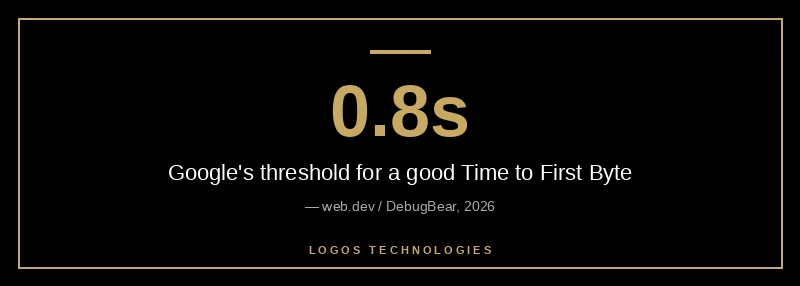
- Google's "good" TTFB threshold is 0.8 seconds or less; anything over 1.8 seconds is "poor."
- TTFB isn't a Core Web Vital itself, but it's the foundation of Largest Contentful Paint — a slow server caps how fast your page can ever load.
- The five biggest levers are hosting, a CDN, caching, removing redirects, and serving pre-built static HTML.
- Static sites served from a CDN edge clear the 0.8-second bar by default; database-driven CMS sites usually have to fight for it.
Most page-speed advice tells you to compress images and defer JavaScript. But none of that matters if your server is slow to answer the door. Time to First Byte is the clock that starts the moment a visitor clicks your link and stops when the first byte of your HTML arrives — and according to Google's web.dev guidance on TTFB, it "precedes every other meaningful loading performance metric." If that number is high, every visible metric inherits the delay.
The business stakes are real. The Google-commissioned Deloitte "Milliseconds Make Millions" study found that a 0.1-second improvement in mobile site speed lifted retail conversions by 8.4% and travel conversions by 10.1%. A slow first byte eats that improvement before the page even paints. This guide explains what TTFB is, what a good score looks like in 2026, and the five fixes that actually move it.
What is Time to First Byte (TTFB)?
Time to First Byte is the time between starting to navigate to a page and the moment the first byte of the server's response begins to arrive in the browser. It measures connection setup and server responsiveness — not how long the whole page takes to load, but how long the browser waits before it receives anything at all.
Per web.dev, TTFB is the sum of several phases stacked end to end: redirect time, service worker startup (if any), DNS lookup, connection and TLS negotiation, and the request itself up to the first byte of the response. Each phase adds latency, and they happen in sequence before your HTML can even begin streaming. That's why a single unnecessary redirect or a slow database query quietly taxes everything that follows. TTFB sits at the very start of the page load timeline we break down in our guide to what "fast" actually means.
What is a good TTFB in 2026?
A good TTFB is 0.8 seconds (800 milliseconds) or less, anything between 0.8 and 1.8 seconds "needs improvement," and a TTFB over 1.8 seconds is "poor." Those are the thresholds performance tool DebugBear documents, matching Google's own guidance that your server should respond fast enough for the 75th percentile of users to land in the "good" range.
One important nuance: because TTFB isn't a Core Web Vital, you don't have to hit 0.8 seconds exactly — what matters is that your server response doesn't stop you from passing the metrics that are scored. A server-rendered site with a slightly higher TTFB can still beat a client-rendered single-page app that ships fast but then makes the browser wait on JavaScript. The goal is a first byte fast enough that the visible metrics never have to wait on it.
Why TTFB matters even though it isn't a Core Web Vital
TTFB matters because it's the floor under Largest Contentful Paint. LCP can never be faster than the time it takes your server to send the first byte, plus the time to render the content after that. Web.dev's guide to optimizing TTFB puts it plainly: "high TTFB values add time to the metrics that follow it." If your server takes 1.5 seconds to respond, you have already burned more than half of the 2.5-second budget for a "good" LCP before a single pixel paints.
That makes TTFB the hidden tax on your Core Web Vitals. Google's thresholds for the metrics it actually ranks — LCP at 2.5 seconds and INP at 200 milliseconds, per web.dev's Web Vitals overview — are far harder to hit when the server eats the first second. It also compounds the abandonment problem: Semrush notes that users are more likely to bounce from pages that take more than three seconds to load, and a slow TTFB is often the first second of that three. Slow first byte, slow everything — which is why it sits near the top of our website speed optimization checklist.
How do you reduce TTFB?
You reduce TTFB by attacking the server side of the equation in order of impact: hosting, then a CDN, then caching, then redirects, then how the HTML is generated. Front-end tricks won't help here — TTFB is decided before the browser receives a thing. Here are the five moves in priority order.
1. Fix hosting first
Hosting is the highest-impact lever, and web.dev names it first for a reason: "before you even consider other optimization approaches, hosting should be the first thing you consider." Oversold shared hosting thrashes under load and serves pages slowly. Confirm your application has enough memory, and that your provider keeps the backend stack (language runtime, HTTP version, database) current — each new version tends to be faster than the last.
2. Put a CDN in front of the site
A content delivery network caches your content on edge servers physically closer to your visitors, so the request doesn't travel all the way to a distant origin. CDNs also bring fast DNS resolution, modern protocols like HTTP/3, and shorter TLS negotiation — all of which trim the connection-setup phases of TTFB. Semrush's page-speed guide lists a CDN and a faster hosting plan among its top server-response fixes.
3. Cache aggressively
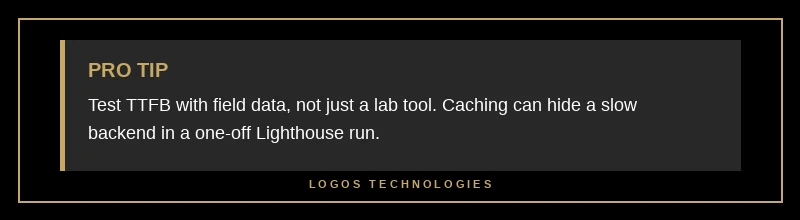
Caching rendered pages at the edge means only the first visitor in a given window pays the full origin round-trip — everyone after them gets the cached copy almost instantly. Set appropriate Cache-Control headers so the CDN knows what it can store and for how long. One caution from web.dev: caching can mask a slow backend, so keep a way to test an uncached page to see the TTFB real users actually experience.
4. Eliminate redirects
Every redirect adds a round-trip before the real response arrives, and redirect chains stack those delays. Focus on same-origin redirects you control — missing https:// schemes and inconsistent trailing slashes are common culprits. Enforcing HTTPS with the Strict-Transport-Security (HSTS) header lets browsers skip the HTTP-to-HTTPS redirect on repeat visits entirely.
5. Serve static HTML
The most durable fix is to remove the per-request work altogether. Web.dev recommends static rendering, which "generates HTML files during build time" so that "web servers can start sending the file immediately." There's no database to query and no template to assemble on the fly — the finished file is already sitting there, ready to stream.
Why static sites win the TTFB race
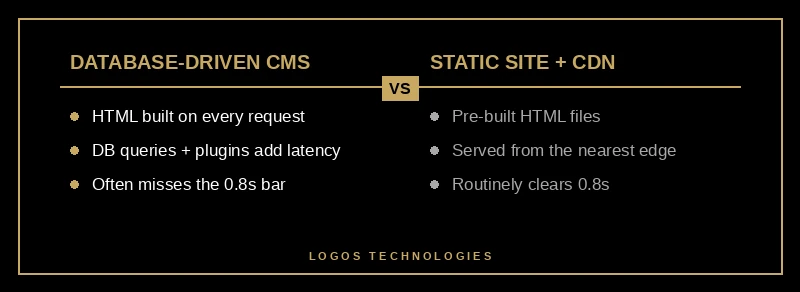
Static sites win on TTFB because there's no work left to do when the request arrives. A database-driven CMS like WordPress rebuilds the page on every request — running PHP, querying the database, and loading whatever plugins are installed before it can send a byte. That assembly time is your TTFB, and it's a big part of why WordPress feels slow under real traffic.
A hand-coded static site flips the model. The HTML is built once at deploy time and pushed to a CDN, so the edge server streams a finished file the instant a request lands. Web.dev even notes that static sites get so little benefit from advanced tricks like 103 Early Hints precisely because there's no slow backend to hint around — the response is already fast. You're not optimizing the server's per-request work; you've eliminated it. That architectural head start is why the gap between a fast and slow first byte usually traces back to the platform, not the plugin list. We unpack the dollar value of that speed in our breakdown of what the page-speed data actually shows, and it's the same reason a fast website speed optimization strategy starts with architecture, not band-aids.
It's also why Google has used page speed as a ranking signal since 2018 on mobile: a fast server is a proxy for a good experience, and a slow one drags down both your rankings and your conversions.
Frequently Asked Questions
Is TTFB a Google ranking factor?
Not directly. TTFB isn't one of the Core Web Vitals that Google scores, so there's no ranking penalty tied to the metric itself. But it feeds Largest Contentful Paint, which is scored — a slow TTFB makes a good LCP nearly impossible to achieve, so it affects rankings through that chain rather than on its own.
What's the difference between TTFB and page load time?
TTFB measures only how long the browser waits for the first byte of the server's response. Page load time measures the full journey until the page is usable or fully loaded. TTFB is the opening phase of page load time — a small slice at the start, but one that every later phase has to wait on.
How do I measure my site's TTFB?
Use field data first, since it reflects real users and includes redirect time. Google's PageSpeed Insights shows real-user TTFB at the top of the report, and Chrome DevTools' Network panel shows it for a single test load. For a quick check in code, the web-vitals JavaScript library reports TTFB directly.
Why is my TTFB fast in testing but slow for real users?
Usually caching. A lab test of a popular page often hits a warm cache and shows a fast TTFB, while real users hitting less-cached pages experience the full backend time. This is why web.dev recommends testing an uncached page — by adding a unique URL parameter — to see the server time your slowest visitors actually feel.
Can a CDN alone fix a slow TTFB?
A CDN helps a lot, especially for visitors far from your origin, but it can't fully rescue a slow backend for uncached, dynamic content. If your application takes a second to build a page, the CDN only saves the visitors who get a cached copy. Pairing a CDN with caching — or moving to static HTML — is what delivers a consistently fast first byte.
Stop paying the first-byte tax
If your server takes a second to answer, no amount of image compression or lazy loading will make your site feel fast — the delay is baked in before the browser receives anything. You can keep patching it with caching layers and hosting upgrades, or you can solve it at the architecture level with a site that has no per-request work to do.
LOGOS Technologies builds hand-coded, Eleventy-powered static sites for small and medium businesses across the country (we're based in Papillion, Nebraska). Because the HTML is pre-built and served from a CDN edge, our sites clear Google's 0.8-second TTFB bar on day one — and the LCP and INP scores that depend on it follow. If you want to know what a slow first byte is costing your current site, get in touch and we'll run a free server-response teardown for you.