
How to Eliminate Render-Blocking Resources in 2026 (CSS, JavaScript, and Fonts)

Table of Contents
TL;DR — Quick Hits
- Only 15% of mobile pages pass Google's "Eliminate render-blocking resources" Lighthouse audit — 85% of the web is losing rendering time to it.
- The median site loads about 7 render-blocking resources totaling 100KB+, adding 500–1,500ms to LCP on a typical mobile connection.
- The fix is three moves: inline critical CSS, defer non-critical CSS off the critical path, and add
defer(orasync) to every script in the<head>. - Pages meeting Core Web Vitals thresholds see meaningfully lower abandonment than pages that don't — and render-blocking resources are the most common reason a page fails LCP.
- Static sites built without page-builder bloat usually pass this audit on day one. WordPress sites usually don't.
If your Lighthouse report has a yellow or red bar next to "Eliminate render-blocking resources," you are not alone. According to the HTTP Archive's 2025 Web Almanac performance chapter, only about 15% of mobile pages pass that audit — meaning 85% of the web is shipping CSS or JavaScript that stops the browser from painting anything until those files finish downloading. That delay shows up directly in Largest Contentful Paint, which is still one of the three Core Web Vitals that influence ranking in 2026.
This guide walks through what "render-blocking" actually means, how much speed those resources are stealing, and the three moves that fix the audit for almost every site — CSS, JavaScript, and fonts. We'll also look at why static sites pass this audit by default, which is the same reason Search Engine Journal's Core Web Vitals platform comparison keeps showing static-site frameworks like Astro at the top of the rankings.
What is a render-blocking resource (and why does Google penalize it)?
A render-blocking resource is any CSS file or <script> tag that the browser has to fully download, parse, and execute before it can paint a single pixel to the screen. Per Chrome's Lighthouse documentation on the audit, this includes external stylesheets referenced in the <head>, synchronous <script> tags without async or defer, and the initial portion of any web font referenced inside a render-blocking stylesheet.
The reason this hurts SEO is mechanical. The browser cannot construct the CSS Object Model until every render-blocking stylesheet has loaded, and it cannot continue parsing HTML past a synchronous script until that script has executed. Both sit on the critical path that determines LCP, and slow LCP is one of three signals in Google's Core Web Vitals that feed page-experience ranking. It's also why a site can show a fast Time to First Byte but a bad LCP — the HTML arrived quickly, but the browser is sitting on it, waiting for the CSS.
How much speed are render-blocking resources actually costing you?
Enough that they are usually the single biggest LCP fix on any non-static site. Performance vendor DebugBear's analysis of render-blocking impact puts the median website at roughly 7 render-blocking resources totaling 100KB or more, adding 500–1,500ms to LCP on a typical mobile connection. That is the difference between passing and failing the 2.5-second LCP threshold.

The downstream business cost is real. Google's field research shows pages meeting all Core Web Vitals thresholds see meaningfully lower abandonment than pages that don't — and we unpacked the dollar impact in our deep dive on what the page-speed data actually shows. Every 100ms of LCP improvement compounds across every visit, forever, and render-blocking work is the top fix in our website speed optimization playbook for a reason.
Render-blocking resources also serialize loading. A render-blocking script in your <head> holds up your styles, your hero image, your fonts, and your above-the-fold content. Fixing it usually moves the entire waterfall left.
How do you eliminate render-blocking CSS?
Inline the CSS the above-the-fold content needs, load everything else with a non-blocking pattern, and ship less CSS overall. Three concrete patterns handle 95% of cases.
1. Inline critical CSS in the <head>
Identify the CSS rules required to render above-the-fold content — the header, hero, primary font sizes, and layout grid — and put them in a <style> tag at the top of the <head>. Critical CSS is small (often 5–15KB), arrives with the HTML, and lets the browser paint the first frame without waiting for any external file. Per web.dev's guidance on the critical rendering path, this is the single highest-impact change you can make for LCP on a slow connection. Tools like Critters (maintained by Google Chrome Labs) and the Eleventy critical-CSS plugins automate the extraction at build time.
2. Defer the rest of the stylesheet with a non-blocking pattern
For non-critical CSS, the standard pattern is:
<link rel="preload" href="/css/main.css" as="style" onload="this.onload=null;this.rel='stylesheet'">
<noscript><link rel="stylesheet" href="/css/main.css"></noscript>
This downloads the stylesheet without blocking rendering, then applies it once loaded. A cleaner variant: split your CSS by media query and let the browser deprioritize what doesn't match. Print styles, for example, should never be render-blocking:
<link rel="stylesheet" href="/css/print.css" media="print">
The browser will still download print.css, but it won't block rendering.
3. Ship less CSS
Chrome DevTools has a Coverage panel that tells you the percentage of each CSS file actually used on the current page. If you load 280KB of CSS and use 18KB, you have a build problem, not just a render-blocking one. PurgeCSS, Tailwind's JIT mode, and any framework with tree-shaking will cut unused styles at build time. Most page-builder WordPress sites carry 150–300KB of unused CSS because the builder ships every style every plugin author ever wrote.
How do you eliminate render-blocking JavaScript?
Same shape as CSS, simpler primitives. Every <script> tag in your <head> is render-blocking by default. The fix is one of three attributes:
defer— downloads in parallel with HTML parsing, executes once parsing is complete, in document order. Use for almost everything in the<head>.async— downloads in parallel, executes as soon as it's ready, out of order. Use for fully independent scripts (analytics, ad tags).- Move the script to the bottom of
<body>— the original solution, still works fine for inline scripts.
A common 2026 addition is fetchpriority="low" on third-party tags, which tells the browser to deprioritize them against above-the-fold resources. Combine it with defer on every analytics, chat-widget, and tag-manager script and you have eliminated most of the JavaScript that used to block LCP.

For third-party scripts not required for first paint — heatmap trackers, A/B-test SDKs, support widgets — wrap the load inside requestIdleCallback (with a setTimeout fallback for Safari). The script loads only when the main thread is idle, well after LCP fires. That pattern pairs naturally with the LCP work we covered in how to improve LCP in 2026.
Why static sites win this fight (without trying)
Site architecture decides whether you'll ever beat render-blocking resources. WordPress, Shopify, and most page builders ship a CSS bundle big enough to style every possible page configuration they support. Static sites generated from hand-coded templates ship only the CSS the rendered page actually uses, because there is no "possible" page — there is only this one.
The same dynamic shows up in field data. Search Engine Journal's Core Web Vitals comparison of WordPress, Astro, and the major page builders found Astro sites — built on a JAMstack static-first architecture similar to the Eleventy stack we use — consistently in the top tier for Core Web Vitals pass rates, while default WordPress sites sat near the bottom. The render-blocking resource count was a major reason.
This is the same argument we made in our breakdown of why a static site is the best WordPress alternative for small businesses: the fastest way to eliminate render-blocking resources is to never load them. A site built from Markdown + Eleventy + a small CSS file passes this audit without anyone thinking about it. If you're already on WordPress and migrating isn't realistic, the inline-critical / defer-everything pattern above will get you most of the way. If you're choosing a stack for a new site in 2026, static is the cheat code — and the rest of our website speed optimization playbook explains why.
What about fonts?
Web fonts are quietly one of the most common render-blocking culprits. A <link rel="stylesheet"> to Google Fonts is render-blocking by definition, and the font files it references can be hundreds of kilobytes each.
Three quick wins, in order:
- Self-host the font. Drop the dependency on a third-party CDN for the stylesheet that references the font file. You cut a DNS lookup and a render-blocking external CSS request in one move.
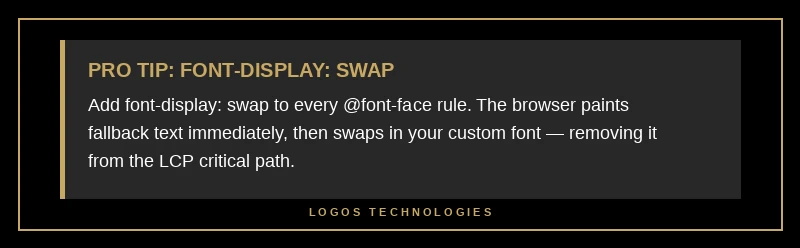
- Use
font-display: swapin your@font-facerules. The browser renders fallback text immediately and swaps in the custom font once it has loaded — removing the font from the critical render path. - Subset and preload only the weight you use above the fold. Subsetting Latin-only versions of the two weights a typical site uses and preloading them takes a 400KB font dependency down to 30–60KB.
Together those three changes move fonts off the critical path, which is what web.dev's LCP optimization guide names as one of the highest-leverage LCP fixes available.
Frequently Asked Questions
Does eliminating render-blocking resources actually improve Google rankings?
Indirectly, yes — by improving LCP, which is one of three Core Web Vitals feeding Google's page-experience ranking signal. Google doesn't rank a page higher because it passes the Lighthouse audit specifically; it ranks pages higher because they load faster, and eliminating render-blocking resources is the most common way to make a page load faster. LCP is measured in the field, not in a lab, so the speed gain has to show up for real users to affect rankings.
What's the difference between async and defer on a script tag?
Both load the script in parallel with HTML parsing. The difference is when the script runs. A defer script waits until HTML parsing is complete and runs in document order. An async script runs as soon as it's downloaded, even mid-parse, in whatever order downloads finish. Use defer for scripts that touch the DOM or depend on other scripts. Use async for fully independent scripts like analytics tags. For most scripts in 2026, defer is the safer default.
Should I inline all my CSS to eliminate render-blocking entirely?
No. Inlining all CSS bloats every HTML page with the same stylesheet, breaks browser caching across pages, and increases time to first byte. Inline only the critical CSS needed for above-the-fold content — typically 5–15KB — and load the rest with a non-blocking pattern. The goal is to remove CSS from the critical path, not to put all of it inline.
Are Google Fonts render-blocking?
Yes, when loaded the default way. The <link rel="stylesheet"> to fonts.googleapis.com is a render-blocking external stylesheet, and the font files it references are typically loaded synchronously. The fix is to self-host the font with font-display: swap in your @font-face rules, or to preload the specific font file with rel="preload" as="font" crossorigin and apply it via a non-blocking stylesheet load.
How long does it take to fix render-blocking resources on a typical site?
For a hand-coded static site, an afternoon — the build pipeline handles it forever after. For a WordPress site, expect a few days of plugin selection, regression-testing when CSS gets deferred, and tuning the critical-CSS extractor — and you'll need to re-test every time a plugin updates.
Build a site where render-blocking resources are never a problem
If 85% of your performance problem is render-blocking CSS or JavaScript, you have two paths. Patch the symptom every time the site changes — caching plugins, critical-CSS extractors, script-tag audits. Or solve it at the architecture layer with a hand-coded static site that ships only the CSS and JavaScript the page actually needs.
LOGOS Technologies builds Eleventy-powered static sites for small and medium businesses across the country (we're based in Papillion, Nebraska). Our sites pass the render-blocking audit on day one — and the LCP, INP, and CLS audits with them — because the architecture is built for speed, not bolted onto a CMS. If you'd like to see what your current site is losing to render-blocking resources, get in touch and we'll run a free LCP teardown for you.