
Third-Party Scripts and Website Speed: What Every Tag Really Costs You

Table of Contents
TL;DR: Quick Hits
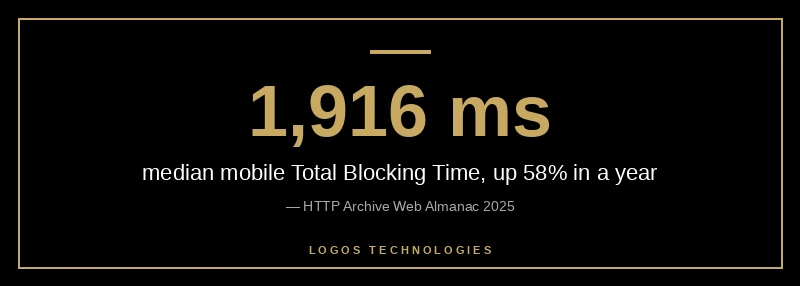
- About 90% of pages load at least one third-party resource, and the median mobile Total Blocking Time is now 1,916 ms (Web Almanac 2025).
- A Google Tag Manager container with 18 tags raised Total Blocking Time nearly 20-fold in a Chrome team lab test.
- A tracking pixel is under 1 KB. A Custom HTML tag can be anything, and tools blame the tag manager for it.
- A compromised analytics script on October 29, 2026 let attackers run code on a customer's site. Every script is also a security decision.
- The fastest third-party script is the one you delete. Audit, assign an owner to each tag, and remove what nobody can justify.
Nearly every website you visit runs code its owner did not write. The Web Almanac 2025 third-parties chapter found that roughly 90% of pages load at least one third-party resource, with a median of 79 third-party requests per page on mobile across all sites, and 106 for the top 1,000 sites. Scripts are the largest single request type at 24.8%. That code shares one main thread with everything your visitor is trying to do.
The cost is showing up in field data. The Web Almanac performance chapter reports that median mobile Total Blocking Time rose 58% in one year, from 1,209 ms to 1,916 ms, even while Interaction to Next Paint improved. This post is a cluster in our broader website speed optimization guide, and it focuses on the one category of script most owners never audit.

What are third-party scripts, and how do they slow a website?
Third-party scripts are JavaScript files loaded from a domain you do not control, such as analytics, ad pixels, chat widgets, A/B testing tools, embedded maps, and video players. They slow a website because they compete with your own content for network bandwidth and, more importantly, run on the same main thread that handles taps and clicks.
web.dev's third-party JavaScript guidance lists the failure modes: extra connections to other servers, weak caching and compression on someone else's host, and synchronous loading that blocks parsing. If a vendor's server fails while a script is loaded synchronously, rendering can stall for 10 to 80 seconds until the request times out. A/B testing scripts are especially costly, because most hold back content display until they finish.
You pay twice for these scripts. First on the network, then on the CPU. On a mid-range phone the CPU cost is the bigger one, which is why Total Blocking Time is the number to watch. We covered how that main-thread work turns into slow taps in our guide to reducing JavaScript execution time.
Why does a tag manager make third-party scripts worse?
A tag manager makes the problem harder to see and easy to grow. Google Tag Manager lets anyone add a tag without touching the site's code, so tags accumulate. Google's tag best practices on web.dev say a single tag may have negligible impact, but the effect grows with tens or hundreds of tags, and that container size correlates with poorer INP.
The numbers on web.dev are worth knowing. The median container is about 50 KB, the GTM library itself is about 33 KB compressed, and containers have a 300 KB size limit. Pixels are the lightest option at under 1 KB each. Custom HTML tags have no ceiling, and most performance tools attribute their cost to the tag manager rather than the tag, so the real culprit hides.
The Chrome team measured the downside directly. In a lab test, adding a GTM container with 18 random tags to a Next.js example app raised Total Blocking Time nearly 20-fold. Their CrUX analysis of 110,823 sites also found that Next.js sites loading more third-party scripts had lower INP and LCP pass rates, though the authors caution that this is correlation rather than proof. Two other findings from that article are practical: moving a GTM container into a web worker cut blocking time by 92% in their example, but the approach can silently break scripts, so it needs testing. And only 45% of Next.js sites with a Google Maps embed used loading="lazy".
Are third-party scripts a security risk too?
Yes. Every third-party script runs with the full privileges of your page, so a compromise at the vendor becomes a compromise on your site. On October 29, 2026, malicious JavaScript was found at the script URL of DebugBear's Core Web Vitals monitoring tool after attackers took over its DNS records. Search Engine Journal reported that the code was served to a customer's site and moved funds from some signed-in users' wallets without needing passwords.
That is a rare, extreme case, and the customer was a high-value financial site. The lesson for a small business is simpler. A script added to "monitor speed" or "track visitors" is code that someone else can change at any time. We cover the architectural side of this in our comparison of static site security versus WordPress. A site that loads fewer outside scripts has less to defend.
How do you audit and fix third-party scripts?
Audit third-party scripts by listing every outside domain your pages load, measuring what each costs, and removing anything without a named owner and a clear purpose. Do it in this order:
- Inventory. Open Chrome DevTools, load the page, and sort the Network panel by domain. Note every host that is not yours. Check templates, plugins, and the tag manager container for scripts that load conditionally.
- Measure. Run PageSpeed Insights and look at the third-party summary and Total Blocking Time. See the lab versus field note below before you trust any single score.
- Assign an owner to every tag. web.dev recommends labeling each tag with an owner. If nobody can explain why a tag exists, it is a removal candidate.
- Delete, don't block. web.dev advises pausing or removing unused tags instead of blocking them with trigger exceptions, because blocked tags still ship their code in the container.
- Defer the rest. Fire non-essential tags after the window load event, and never load UX-critical items like cookie notices or hero images through a tag manager, since that can hurt LCP and CLS.
- Replace heavy embeds. Swap a standard video iframe for a click-to-load facade, and lazy-load map embeds below the fold.

Does Google's Lighthouse update change how I should read my score?
It can. Lighthouse 13.6.0 shipped on October 27, 2026 and PageSpeed Insights now uses it, changing how lab load simulations decide what blocks rendering. According to Search Engine Journal's report on the update, Chrome's Barry Pollard said simulated FCP and LCP should be more accurate and generally produce higher scores, and that scores can change on pages nobody edited.
So if your PageSpeed score jumped last week, check the Lighthouse version shown in the report before crediting your own work. Compare field data too. Google's own documentation notes that good lab data does not guarantee good real-user experiences. Third-party script cost is exactly the kind of thing field data catches and a single lab run can miss.
Why a static site starts ahead
A hand-coded static site starts with a near-empty script budget, so every third-party script you add is a deliberate choice rather than a default. HTTP Archive's Core Web Vitals technology report shows the result in September 2026: 82.1% of the 195 Eleventy origins tested on mobile passed all three Core Web Vitals, compared with 48.3% of the roughly 2.66 million WordPress origins. The Eleventy sample is small, so treat it as a signal, not a verdict. The WordPress figure reflects plugin-heavy sites loading many scripts by default. We explain that pattern in why WordPress is so slow.
Even then, the honest finding is more nuanced. On INP alone, the mobile pass rate was 90.3% for WordPress and 89.9% for Eleventy, effectively the same. The difference is in loading and layout, which is where plugin and tag sprawl hurts most.
Frequently Asked Questions
How many third-party scripts is too many?
There is no official number, but the median page loads 79 third-party requests on mobile, and that median is already producing a 1,916 ms Total Blocking Time. A better test is whether each script has a named owner and a measurable business purpose. If it does not, it is too many.
Is Google Tag Manager bad for page speed?
Not by itself. The GTM library is about 33 KB compressed. The damage comes from what gets loaded through it. Pixels are under 1 KB, while Custom HTML tags can run unlimited code. A tidy container with a few pixel tags is light. A container with dozens of Custom HTML tags is not.
Should I move all my scripts to a web worker?
Not as a first step. Moving a GTM container to a web worker cut Total Blocking Time by 92% in the Chrome team's example, but it can silently break scripts that expect direct access to the page. Remove unneeded scripts first, then test a worker approach on what remains.
Do third-party scripts affect SEO?
Indirectly, yes. They affect Core Web Vitals, which Google uses as a ranking signal, and they raise bounce risk when pages feel slow. The bigger SEO risk is a slow or compromised script harming the experience of real visitors, which shows up in field data over time.
What is the fastest way to find slow third-party scripts?
Run PageSpeed Insights on your key pages and open the third-party summary and Total Blocking Time audit. Then sort Chrome DevTools' Network panel by domain to see every outside host. Fix the biggest main-thread cost first.
LOGOS Technologies builds hand-coded static websites in Papillion, Nebraska, with a script budget set at the start instead of cleaned up later. If your current site is carrying tags nobody remembers adding, see our web design services or contact us for a speed review.