How to Fix Cumulative Layout Shift (CLS) in 2026: A Practical Guide

Table of Contents
TL;DR — Quick Hits
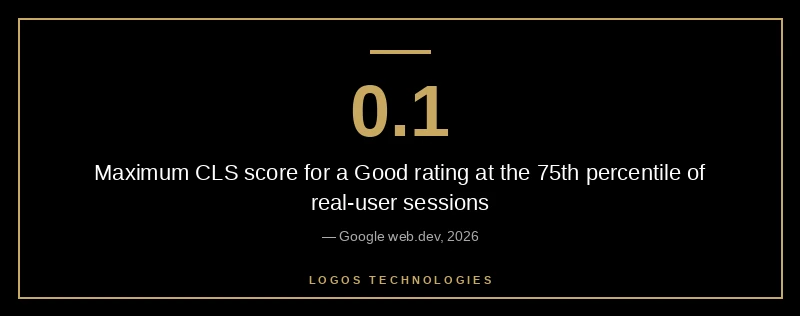
- CLS measures unexpected visual movement during page load. Google considers a CLS of 0.1 or lower "good," 0.1–0.25 "needs improvement," and over 0.25 "poor" — measured at the 75th percentile.
- 62% of mobile pages still ship at least one unsized image, and only 11% of pages preload web fonts — both are top causes of layout shift.
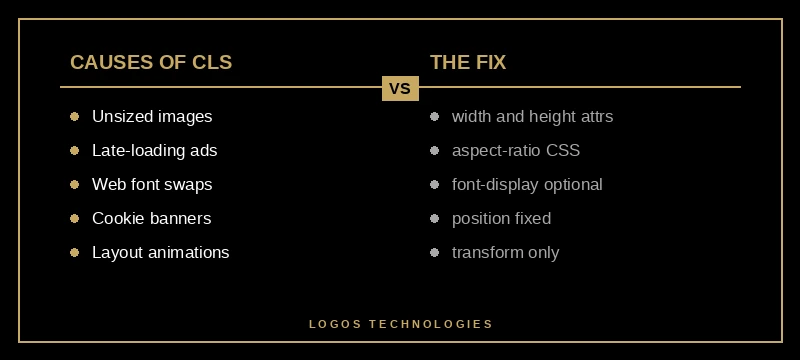
- Reserve space with
width,height, andaspect-ratiofor every image, ad, embed, and dynamic component before it loads. - Use
font-display: optional(notswap) when you can tolerate the fallback, and pair it withsize-adjustoverrides to eliminate font-swap shifts entirely. - Animate
transformandopacityonly — nevertop,left,width, orheight. Those properties trigger layout and count toward CLS.
After Google's March 2026 Core Update, Core Web Vitals stopped being a soft tiebreaker. Ranking analyses published after the rollout consistently report that sites borderline-passing on Largest Contentful Paint and Cumulative Layout Shift before the update started seeing measurable rank drops in the weeks after — and the gap between "passing" and "failing" got narrower in both directions.
CLS is the Core Web Vital where the biggest gains come the fastest. It's also the one most small business sites quietly fail. Per the HTTP Archive's Web Almanac, 62% of mobile pages have at least one image without explicit dimensions, and only 11% of pages preload their web fonts. Those two issues alone account for the majority of CLS failures across the web. None of the fixes require a redesign. Most are five-line CSS changes.
This is the third entry in our website speed optimization series, after how to improve LCP and how to fix Interaction to Next Paint. Together those three guides cover the entire Core Web Vitals trio.
What Cumulative Layout Shift actually measures
CLS quantifies how much of a page's visible content unexpectedly moves during its lifespan. Each individual shift is scored as the impact fraction (how much of the viewport was affected) multiplied by the distance fraction (how far the elements moved). Google sums those scores into a single CLS value, then reports the 75th percentile across real-user sessions.
The thresholds are simple: 0.1 or below is "good," up to 0.25 is "needs improvement," anything higher is "poor." Per web.dev's CLS reference, this is measured per session, not per page load — which means a layout shift that happens 30 seconds in, when the user is mid-scroll, still hurts your score.
The shifts that count are the ones the user didn't trigger. Clicking a button to expand a menu does not count. An image popping into the document and pushing the article down 200 pixels because no space was reserved for it absolutely does.
What causes Cumulative Layout Shift?
Layout shifts are caused by content that takes up space without reserving it first. The most common offenders are images and videos without explicit dimensions, web fonts whose fallbacks are sized differently from the loaded font, ads and embeds injected into the DOM after first paint, dynamically inserted UI like cookie banners and announcement bars, and animations that change layout properties instead of compositor-only properties.
A useful mental model: every visible element on a page should claim its real estate before the browser has to render it. If the browser learns the actual size after the fact, it has to reflow — and that reflow is what counts as a shift.
For most small business sites, the order of impact is:
- Images without
widthandheightattributes - Embedded videos, maps, and social widgets without reserved containers
- Web fonts with mismatched fallback metrics
- Cookie banners, popups, and announcement bars that load late
- Ad slots and review widgets that inject above the fold
This pattern shows up repeatedly when auditing existing sites for clients. WordPress sites in particular tend to fail on items 1, 2, and 3 simultaneously — most themes and page builders generate markup that omits explicit image dimensions and load web fonts via @import, the slowest possible mechanism. We covered the broader pattern in why WordPress is so slow, and CLS is one of its most visible symptoms.
How to fix CLS from images and media
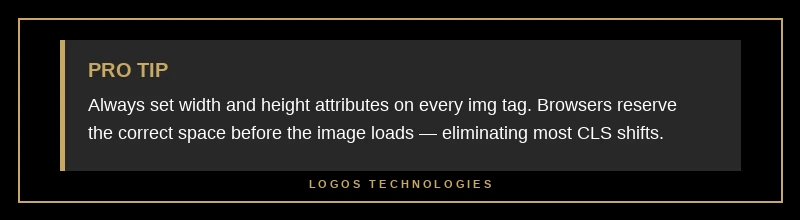
The single highest-leverage fix on the entire web for CLS is adding width and height attributes to every <img> and <video> tag, then letting CSS handle responsive sizing.
<img src="/hero.webp" width="1600" height="900" alt="..." style="width:100%; height:auto;">
The browser uses the width and height attributes to compute the intrinsic aspect ratio (1600 ÷ 900 = 1.78) and reserves a correctly-proportioned box before the image data arrives. The image still scales fluidly with width:100% because the inline CSS overrides the rendered size — but the reserved space prevents any shift. Modern browsers have shipped this behavior since 2020.
For responsive images served via <picture> or srcset, set the dimensions of the largest source. The browser scales appropriately. For background images, use aspect-ratio on the container:
.hero {
  aspect-ratio: 16 / 9;
  background-image: url(/hero.webp);
  background-size: cover;
}
Embeds — YouTube, Vimeo, Google Maps, Twitter, Instagram — almost never ship with reasonable defaults. Wrap each one in a container with a fixed aspect ratio and let the iframe inherit it.
.embed { aspect-ratio: 16 / 9; }
.embed iframe { width: 100%; height: 100%; border: 0; }
This single rule, applied to every embed on a site, eliminates a category of CLS failure that small business sites routinely ship to production.
How to fix CLS from web fonts
Web fonts cause CLS in two ways. The fallback font is invisible during loading (FOIT — Flash of Invisible Text), which the browser eventually replaces with the loaded web font. Or the fallback is visible but sized differently from the web font (FOUT — Flash of Unstyled Text), and when the swap happens, the surrounding layout reflows.
There are three real fixes:
Use font-display: optional for primary fonts. This tells the browser to wait up to 100 milliseconds for the web font, then commit to whichever one wins for the rest of the session. No mid-session swap, no shift. The tradeoff: on slow connections, users may see the entire session in your fallback font. For most small business sites — where brand identity comes from layout, color, and imagery more than typography — this is the right call.
Use size-adjust, ascent-override, and descent-override to match the fallback to the web font. Per the MDN reference on @font-face descriptors, you can scale the fallback font's metrics so the layout stays identical when the swap happens.
@font-face {
  font-family: 'Inter Fallback';
  src: local('Arial');
  size-adjust: 107%;
  ascent-override: 90%;
  descent-override: 22%;
}

body { font-family: 'Inter', 'Inter Fallback', sans-serif; }
Tools like Fontaine generate these overrides automatically.
Preload the critical font. A single <link rel="preload" as="font" type="font/woff2" crossorigin> for the font that renders above-the-fold tells the browser to fetch it during the initial document parse, often before the CSS finishes downloading. Combined with font-display: optional, this typically eliminates font-related CLS entirely.
How to fix CLS from ads, popups, and dynamic widgets
Anything that loads after first paint and inserts content into the document flow is a CLS landmine. The fix is the same in every case: reserve the space before the content arrives.
For cookie banners and announcement bars at the top of the page, position them with position: fixed or position: sticky so they don't affect document flow. If they must push content down, set a CSS variable on the <html> element and use it as a top padding on <body> — that way the space exists from the first frame.
For ad slots, reserve the maximum expected dimensions. If an ad slot can be 300×250 or 300×600, reserve min-height: 600px until the ad creative is known. Yes, that wastes space when the smaller ad loads, but it's the only way to guarantee no shift.
For review widgets, social embeds, and chat bubbles, reserve a placeholder of the correct size and lazy-load the real widget into it. Tools like the intersection observer API make this trivial — and they double as an INP optimization since you're not loading every widget on first paint.
The general rule: if you don't know the size of something when the page first renders, you have a CLS problem. Either find out the size and reserve it, or put the element somewhere it can't push other content around.
How to fix CLS from animations
Animations cause CLS when they animate layout-affecting properties. The fix is to animate compositor-only properties instead.
Avoid: top, left, right, bottom, width, height, margin, padding. Each of these triggers layout, paint, and composite.
Use instead: transform (translate, scale, rotate) and opacity. These are handled entirely on the compositor thread, never reflow the document, and don't count toward CLS.
A scroll-triggered fade-up, the most common entrance animation on small business sites, looks like this:
.fade-up {
  opacity: 0;
  transform: translateY(20px);
  transition: opacity 0.4s, transform 0.4s;
}
.fade-up.visible {
  opacity: 1;
  transform: translateY(0);
}
If your existing site's animations use top or margin, migrate them to transform. The visual result is identical. The CLS impact disappears.
How does CLS affect SEO rankings in 2026?
After the March 2026 Google Core Update, CLS — alongside LCP and INP — is treated as a stronger ranking factor than at any point since Core Web Vitals launched. Sites that pass all three thresholds at the 75th percentile have a measurable advantage over sites that fail one or more, and the gap has widened. Ranking analyses post-update suggest the impact is biggest on competitive commercial keywords, where a 0.05 difference in CLS can move a site one or two positions in the SERP.
The practical implication: if your site fails CLS, it's costing you traffic. Not theoretically — measurably. We dug into the dollar value of that traffic in page speed and revenue: what the data actually shows.
What's the difference between CLS and the other Core Web Vitals?
LCP measures how fast the main content paints. INP measures how responsive the page feels to interaction. CLS measures whether the page is visually stable. They're three different problems with three different fix categories — but they're correlated. A site that ships images without dimensions usually also ships render-blocking scripts and unoptimized fonts. The cleanup tends to fix all three.
Per Google's Core Web Vitals documentation, passing all three at the 75th percentile is what unlocks the full ranking benefit. Failing one is enough to lose it.
Frequently Asked Questions
What is a good CLS score in 2026?
A CLS of 0.1 or below at the 75th percentile of real-user sessions is considered "good" by Google. 0.1 to 0.25 is "needs improvement," and over 0.25 is "poor." The 75th percentile means three out of four real visits to the page must hit the threshold for the page to count as passing. Lab data — Lighthouse, PageSpeed Insights synthetic runs — is a useful diagnostic but doesn't reflect the score Google actually uses for ranking, which comes from Chrome's real-user CrUX dataset.
How do I check my site's CLS score?
Open Google Search Console and look at the Core Web Vitals report — that's the field data Google uses for ranking. For a per-page diagnostic, run PageSpeed Insights on the URL; it shows both lab and field data. For a deeper dive, Chrome DevTools has a Performance panel with a Layout Shift track that highlights every shift, what triggered it, and which elements moved.
Can a static site have CLS issues?
Yes, but they're easier to fix. Static sites don't have plugin-injected content or theme-generated markup quirks. Every layout shift on a static site comes from the developer's own templates and CSS — which means every fix is in the developer's control. Sites built on Eleventy with reserved-space patterns baked into the templates typically ship at CLS 0.00 to 0.02 from day one.
Why does my CLS score change between page loads?
CLS is measured per session, not per page load, and the score Google reports is the 75th percentile across many sessions. A single bad page load with a large shift can pull the percentile up. If your score fluctuates wildly, the cause is usually something that loads conditionally — an A/B test, a personalized banner, a third-party widget that's slow on some networks. Identify the conditional element and reserve space for it unconditionally.
How long does it take for CLS fixes to show up in Search Console?
The Core Web Vitals report in Search Console is based on a rolling 28-day window of CrUX data. After deploying a fix, expect to see the score start improving within a week and stabilize at the new value over four weeks. If you're waiting for re-evaluation by Google for ranking purposes, that typically aligns with the same window — there's no manual re-crawl request for CWV.
Stop shipping shifts
CLS is the easiest Core Web Vital to fix and the easiest to ignore. Most of the fixes are CSS one-liners. The compounded effect — better rankings, lower bounce rates, and a site that doesn't make readers lose their place — is dramatically out of proportion to the work involved. The same is true of the other levers in our website speed optimization playbook: small, surgical changes with outsized returns.
LOGOS Technologies builds hand-coded websites for small businesses across Papillion, Omaha, and the rest of the country, with reserved-space patterns and font-loading defaults built into every template from the start. If your site is failing CLS — or any of the Core Web Vitals — and you want it fixed without a half-year WordPress retrofit, get in touch and we'll show you what a site built for stability looks like.