Website Accessibility Audit: How to Find and Fix What's Broken Before It Costs You

Table of Contents
Over 5,000 federal ADA digital accessibility lawsuits were filed in 2025 alone, a sharp increase from prior years. Nearly 1,500 of those targeted companies that had already been sued before. The message from the courts is clear: fixing accessibility after you get a demand letter is too late.
With the ADA Title II deadline hitting April 24, 2026 for government entities and courts increasingly applying the same WCAG 2.1 Level AA standard to private businesses, the question isn't whether your site needs to be accessible. It's whether you actually know where it falls short. That's what a website accessibility audit answers.
We covered the legal landscape and what the 2026 deadline means in our guide to ADA compliant websites and the 2026 deadline. This post is the practical follow-up: how to actually run the audit, what tools to use, and which fixes move the needle.
What Is a Website Accessibility Audit (and Why Automated Scanners Aren't Enough)?
A website accessibility audit is a systematic review of your site against the Web Content Accessibility Guidelines (WCAG) 2.1 Level AA standard. It checks whether people with disabilities — visual, auditory, motor, or cognitive — can actually use your site. That means testing navigation, forms, images, videos, color contrast, keyboard access, and screen reader compatibility.
Most business owners start with an automated scanner and stop there. That's the first mistake. Automated tools like WAVE, Axe, and Google Lighthouse catch roughly 30-40% of WCAG issues. They're good at flagging missing alt text, broken form labels, and contrast failures. They cannot evaluate whether your alt text is actually useful, whether a screen reader can navigate your checkout flow logically, or whether your custom dropdown menu traps keyboard focus.
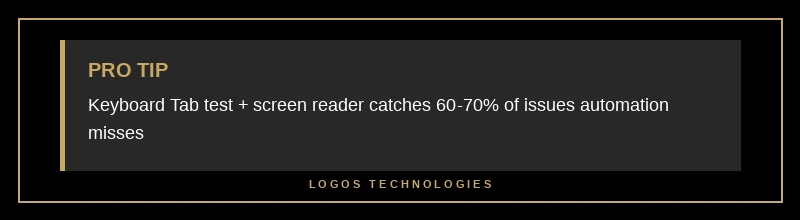
The other 60-70% of accessibility issues require a human reviewer. That's not marketing speak from audit companies — it's the reality of how the W3C's own evaluation methodology is structured. Automated checks plus manual review plus assistive technology testing gives you a complete picture. Any one of those alone gives you a dangerously incomplete one.
Step 1: Run the Automated Scan First
Start with the free tools. They take minutes, and they'll surface the low-hanging issues that affect the most pages.
WAVE (Web Accessibility Evaluation Tool) is the standard starting point. Install the browser extension, load any page on your site, and it overlays errors, alerts, and structural information directly on the page. It flags missing alt attributes, empty links, missing form labels, and contrast failures. Run it on your homepage, your most-visited landing pages, and any page with forms.
Google Lighthouse is built into Chrome DevTools. Open DevTools, go to the Lighthouse tab, check "Accessibility," and run the audit. It scores your page from 0-100 and lists specific issues with links to documentation on how to fix each one. A score below 90 means there are real problems.
Axe DevTools (also a browser extension) goes deeper than Lighthouse on accessibility specifically. It catches issues that Lighthouse sometimes misses and provides clearer remediation guidance.
Run all three on your top 5-10 pages. Export the results. You'll likely see the same categories of errors repeating across pages — that's actually good news, because fixing the template once fixes every page that uses it.
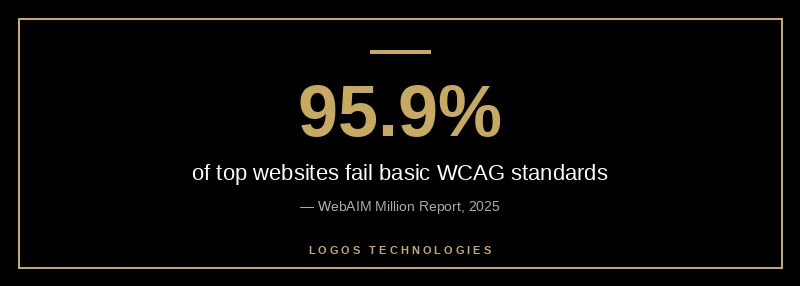
The most common failures, based on the analysis of the top one million websites, are: low contrast text (found on 81% of homepages), missing alternative text for images (54%), empty links (45%), missing form input labels (44%), and missing document language attributes (26%). If your site has any of these, you're not alone — but you do need to fix them.
Step 2: Manual Keyboard and Screen Reader Testing
This is where most businesses skip out, and where most accessibility lawsuits find their ammunition.
Keyboard-only navigation test: Put your mouse aside. Starting from the top of any page, press Tab repeatedly. Can you reach every link, button, form field, and interactive element? Can you see which element is focused (there should be a visible outline or highlight)? Can you activate buttons with Enter and toggle checkboxes with Space? Can you escape modal dialogs and dropdown menus? If you get stuck anywhere — if Tab stops moving forward, if focus disappears into an invisible element, if you can't close a popup — that's a WCAG failure.
Screen reader test: Turn on VoiceOver (Mac) or NVDA (Windows, free). Navigate your homepage. Does the screen reader announce your page structure logically — headings, navigation landmarks, main content? Do images have descriptions that actually convey meaning (not "image1.jpg" or "photo")? When you fill out your contact form, does the screen reader announce what each field expects? This test takes practice, but even 15 minutes with a screen reader reveals problems that no automated tool catches.
If your technical SEO foundations are solid — proper heading hierarchy, semantic HTML, clean markup — your accessibility baseline is already better than most. The two disciplines overlap more than people realize.
Step 3: Check the Issues That Drive Lawsuits
Not all WCAG failures carry equal legal risk. E-commerce sites account for nearly 70% of all ADA web lawsuits, and the most targeted issues cluster around a handful of specific failures. If your site has any of these, prioritize them:
Missing or useless alt text on product images. "IMG_4032.jpg" is not alt text. Neither is "image" or "photo." Every meaningful image needs a description that conveys the same information a sighted user gets from looking at it. Decorative images (backgrounds, spacers) should have empty alt attributes (alt="") so screen readers skip them.
Inaccessible forms. Contact forms, checkout flows, search bars — if a form input doesn't have a programmatically associated label, screen readers announce it as "edit text" with no context. Users don't know what to type. This is the single most common complaint in accessibility lawsuits against small businesses.
Videos without captions. Any video content on your site needs synchronized captions. Auto-generated captions from YouTube are a starting point but often contain errors that change meaning. Review and correct them.
Color contrast failures. Light gray text on a white background might look sleek, but if the contrast ratio falls below 4.5:1 for normal text (or 3:1 for large text), it fails WCAG and it's genuinely hard to read for the roughly 300 million people worldwide with color vision deficiency. Use a contrast checker — WebAIM's contrast checker is free and instant.
Keyboard traps. Modal windows, dropdown menus, and custom interactive components that trap keyboard focus are a guaranteed lawsuit target. If a user can Tab into a component but can't Tab out, that's a trap.
These issues aren't theoretical. When a site built with responsive design principles handles layout correctly but neglects keyboard navigation and form labeling, it's technically modern but functionally broken for about 16% of the global population.
How Does Accessibility Affect SEO Rankings?
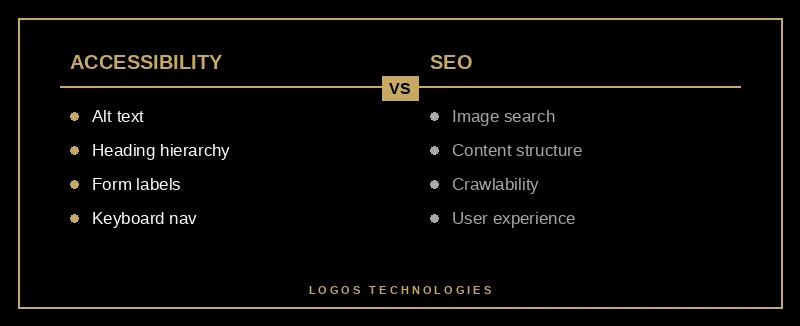
Here's something that doesn't get discussed enough: a significant number of WCAG requirements directly improve your search rankings. Google can't "see" your site the way a human does. It reads your HTML structure, your heading hierarchy, your alt text, your link text, and your semantic markup — the same elements that screen readers rely on.
Proper heading structure (H1 through H6 in logical order) helps Google understand your content hierarchy. Descriptive alt text gives Google context for image search. Semantic HTML landmarks tell Google where your navigation, main content, and footer are. Fast-loading, well-structured pages score better on Core Web Vitals, and many accessibility fixes (like reducing DOM complexity and removing render-blocking overlays) improve performance too.
We've seen this firsthand: sites built to be accessible from the ground up tend to rank better on Google than sites that bolt on accessibility widgets after the fact. The reason is simple — accessible code is clean code, and Google rewards clean code.
This is also why accessibility overlay widgets (the ones that add a floating toolbar to your site) are not a real solution. They don't change your underlying HTML. They layer JavaScript on top of broken markup and hope for the best. The overlay industry has been widely criticized by accessibility professionals, and courts have not accepted overlays as evidence of WCAG compliance.
What to Do After Your Audit
Once your audit surfaces the issues, triage them by impact and effort. Start with the items that affect the most users on the most pages — usually contrast, alt text, form labels, and keyboard navigation. These fixes tend to be straightforward: they're HTML and CSS changes, not architectural overhauls.
If your audit reveals deep structural problems — no semantic HTML, nested tables for layout, JavaScript-dependent navigation with no fallback — the honest answer might be that a website redesign is more cost-effective than retrofitting an inaccessible codebase. This is especially true for sites still running on WordPress themes from 2018 that were never built with accessibility in mind.
For sites with solid foundations that just need targeted fixes, build a remediation plan with deadlines. Fix the critical issues (keyboard traps, missing form labels, empty links) in week one. Address contrast and alt text in week two. Handle video captions and ARIA landmark roles in week three. Then run your automated scans again to verify the fixes didn't introduce new issues.
Document everything. If your business ever receives an accessibility demand letter, having records of your audit, your remediation timeline, and your ongoing monitoring demonstrates good faith — and that matters in settlement negotiations.
The Bottom Line
A website accessibility audit isn't a one-time checkbox. It's something that should happen with every major design change, every new feature launch, and at minimum once a year. The sites that stay ahead of lawsuits are the ones that build accessibility into their development process rather than treating it as an afterthought.
The SEO benefits are real. The legal protection is real. And the expanded audience — the roughly one billion people worldwide with some form of disability — is very real.
If you're not sure where your site stands, that's exactly what we help with. At LOGOS Technologies, we build sites that are fast, accessible, and optimized from the first line of code — not patched after the fact. See how we approach web design or get in touch to talk about an accessibility review for your site. We're based in Papillion, Nebraska, and we work with businesses of all sizes.