AI Automation for Small Business: What Actually Pays Off in 2026

Table of Contents
TL;DR — Quick Hits
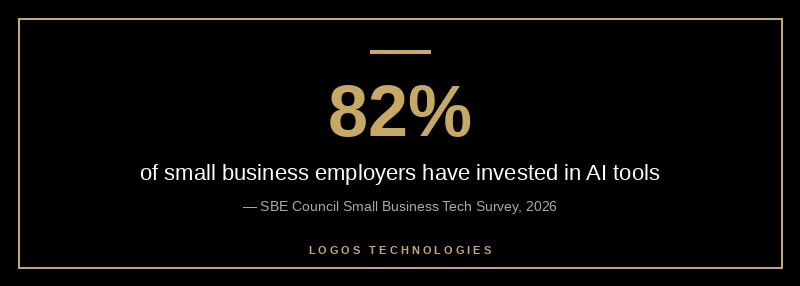
- 82% of small business employers have already invested in AI tools, and 91% of those using AI report revenue increases.
- The highest-ROI automation isn't fancy — it's lead follow-up, customer replies, scheduling, and invoicing.
- Responding to a new lead within an hour makes you ~7x more likely to qualify it; wait 24 hours and you're 60x worse off.
- Automation only converts if the website feeding it is fast and captures leads cleanly — the front end is the bottleneck most owners ignore.
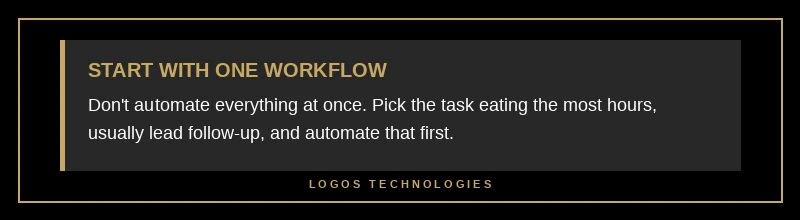
- Start with one workflow (usually lead follow-up), prove the ROI, then expand. Don't automate everything at once.
AI automation for small business stopped being a novelty sometime in the last year. According to the SBE Council's 2026 Small Business Tech Survey, 82% of small business employers have already invested in AI tools, and Capsule CRM's analysis of adoption data found that 91% of small businesses using AI report revenue increases, with two-thirds saying it saves them between $500 and $2,000 a month. The technology is no longer the question. The question is which automations actually move the needle — and what has to be true on your website for any of it to work.
That last part is where a lot of small businesses lose the plot. They subscribe to three AI tools, automate a dozen tasks, and still wonder why leads aren't converting. The honest answer is usually that the automation is bolted onto a slow, leaky website that was never built to feed it. Below is what pays off in 2026, in priority order, and how it all connects back to the site.
What is AI automation for small business?
AI automation for small business means using artificial intelligence to handle repetitive, rules-based work — answering common customer questions, following up on leads, scheduling, drafting content, processing invoices — without a person doing each step by hand. The difference between this and old-school automation is that AI can interpret messy, unstructured input (an email, a chat message, a form note) and respond appropriately, rather than only firing on rigid triggers.
In practice, most small businesses don't need a custom AI system. They need a handful of off-the-shelf tools wired together: a CRM that scores and routes leads, an email or SMS platform that nurtures them, a chatbot that answers FAQs, and a connector like Zapier that stitches the apps together. The skill isn't building AI — it's choosing the two or three workflows where automation removes the most friction.
Where AI automation actually pays off
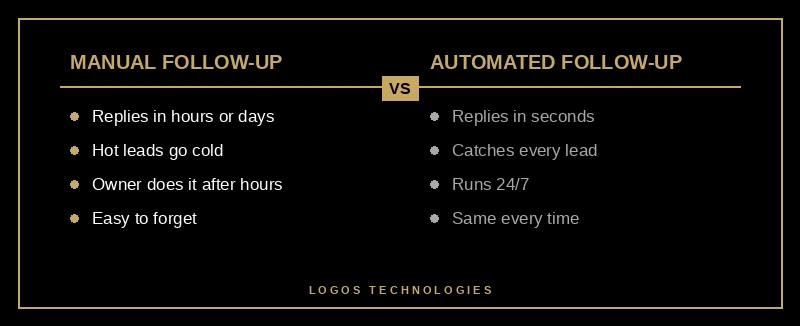
The workflows that return the most for the least effort are unglamorous. Lead follow-up comes first: an AI-assisted system can reply to a form submission in seconds, qualify the inquiry, and book a call before a competitor has even seen the email. Customer service is second — a chatbot trained on your FAQs can resolve a large share of routine questions around the clock, which is exactly the case we made in our breakdown of the AI chatbot for small business websites. After that come the back-office wins: appointment scheduling, invoice and document processing, review requests, and first-draft content for email and social.
What does not pay off is automating things that were already cheap or rare. Automating a task you do twice a month saves you nothing and adds a tool you have to maintain. The math only works on high-frequency, time-draining work — which is why lead follow-up, sitting at the intersection of "happens constantly" and "directly tied to revenue," is almost always the right first project.
Why is speed-to-lead the automation win most owners miss?
Speed-to-lead is the single most underrated reason to automate, because the cost of being slow is enormous and invisible. The classic Harvard Business Review study on online sales leads — which analyzed 1.25 million leads — found that firms contacting a prospect within an hour were nearly seven times more likely to qualify the lead than those who waited just an hour longer, and more than 60 times more likely than companies that waited 24 hours. The same study found the average response time was a staggering 42 hours.
No human team replies in seconds at 9 p.m. on a Saturday. Automation does. When a form submission instantly triggers a personalized text and an email, routes the lead to the right person, and books a slot on the calendar, you capture demand your competitors are letting go cold. This is the highest-leverage automation a service business can run, and it lives or dies on whether your website actually captures the lead in the first place — a theme we dig into in our guide to building a lead generation website that converts.
Your website is the automation hub, not an afterthought
Every automation worth running starts or ends at your website, which makes the site the hub of the whole system — not a separate marketing brochure. The lead form feeds the CRM. The chatbot lives on the page. The booking widget, the review request, the analytics that tell you which automation is working — all of it runs through the site. If the site is slow or the forms are clunky, you're automating a leak.
This is why performance is an automation issue, not just an SEO one. Google's Core Web Vitals thresholds call for a Largest Contentful Paint under 2.5 seconds and an Interaction to Next Paint under 200 milliseconds — and a visitor who bounces before your page loads never enters any automated workflow at all. We unpack what those metrics mean for small sites in our look at the Core Web Vitals 2026 update. A fast, hand-coded static site captures the lead cleanly so the automation behind it has something to act on. This is part of the broader shift we cover in our guide to AI in web design 2026: the front end and the automation stack have to be designed together.
There's a search angle too. As Semrush's analysis of AI search trends shows, more discovery is happening inside AI Overviews and AI assistants, where the goal is to be cited rather than just ranked. A clean, fast, well-structured site is what makes your business legible to those systems — and what makes your automated lead capture worth pointing them at.
How to start automating your small business
You don't need a six-month transformation project. You need one workflow, proven, then expanded:
- Pick the workflow eating the most hours. For most service businesses that's lead follow-up; for retail it might be customer questions. Measure roughly how many hours a week it costs you now.
- Wire it to your website. Make sure your forms, chat, and booking tools actually feed the automation. Track it — our overview of small business analytics that matter covers what to measure.
- Automate, then watch for a week. Confirm the AI replies are accurate and on-brand before you trust it unattended.
- Expand only after it works. Add the next workflow once the first is reliably saving time and the numbers prove it.
The businesses that win with AI automation in 2026 aren't the ones using the most tools. They're the ones who automated the right workflow and built it on a website that actually converts. For more on how this fits the bigger picture, see our overview of AI in web design 2026.
Frequently Asked Questions
How much does AI automation cost a small business?
Most small businesses can start for under $100 a month using off-the-shelf tools like a CRM, an email/SMS platform, and a workflow connector. The bigger cost is setup time, not subscriptions — which is why starting with one workflow keeps the investment small while you prove the return.
Will AI automation replace my employees?
For most small businesses, no — it removes repetitive work so your team can spend time on higher-value tasks. Surveys show owners typically redirect the saved hours toward sales, service quality, and growth rather than cutting staff.
What should a small business automate first?
Lead follow-up, almost always. It happens constantly, it's directly tied to revenue, and the speed advantage is dramatic — responding within an hour makes you many times more likely to qualify a lead than waiting even a little longer.
Do I need a new website to use AI automation?
Not necessarily, but your site has to capture leads reliably and load fast, because every automation starts there. If your current site is slow or your forms don't feed your tools, fixing the website usually delivers more than adding another AI app.
Is AI automation worth it for a very small business?
Yes — small teams often benefit most, because there's no one to spare for repetitive follow-up. Automating even a single workflow can recover hours each week and make sure no inquiry falls through the cracks.
Build the foundation your automation needs
AI automation is only as good as the website it runs on. At LOGOS Technologies, based in Papillion, Nebraska, we build fast, hand-coded static websites engineered to capture leads cleanly and feed whatever automation stack you choose. If your site is slow, leaks leads, or wasn't built to work with modern tools, that's the place to start. Take a look at our web design services or contact us to talk through what your business actually needs before you bolt on another app.